Understanding the stats panel
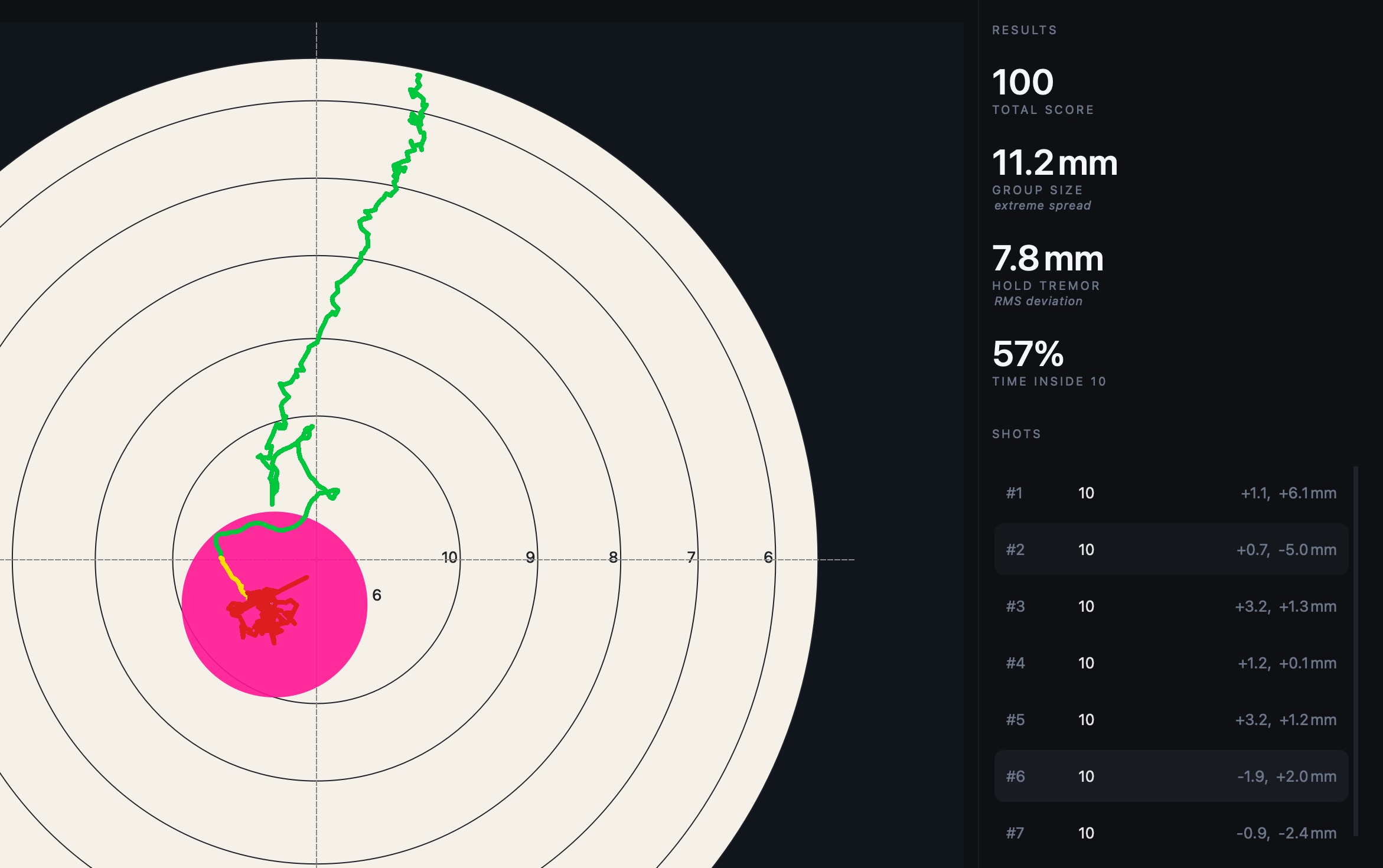
The stats panel sits on the right-hand side of the main window and provides a quick summary of your performance. During a live session the values update as shots are recorded. In replay mode they update as you move between shots.
Total score
The combined score for all shots in the current view.
Shots are scored using the active target face. An X counts as 10 points. Misses and unscored shots are not included in the total.
If no shots have a score, the panel shows the number of shots instead.
Group size
Group size is the extreme spread of the group. That's the distance between the two shots furthest apart, measured centre-to-centre in millimetres.
This is the figure most shooters use when describing a group.
Hover over the value to see the group's mean radius, which measures how tightly shots cluster around the group's centre.
Hold tremor
Hold tremor shows how steady the rifle was before the shot broke.
It is calculated from the pre-shot trace and reported as an RMS (root mean square) deviation in millimetres. Lower values indicate a steadier hold.
During a live session, the value reflects the most recent shot. In replay mode, it updates for the selected shot.
Time on target
Time on target shows how much of the pre-shot aiming period was spent inside the target's highest scoring ring.
The percentage is calculated from the pre-shot trace and provides a simple indication of how consistently the aim remained in the centre of the target.
The label beneath the value identifies the ring being used, for example Time Inside X or Time Inside 10.
When the values update
Live session
- Total score updates after each shot.
- Group size updates as the group grows.
- Hold tremor reflects the most recent shot.
- Time on target reflects the most recent shot.
Replay
- Total score and group size reflect the shots currently loaded in the replay.
- Hold tremor and time on target update for the selected shot.