How shot scoring works
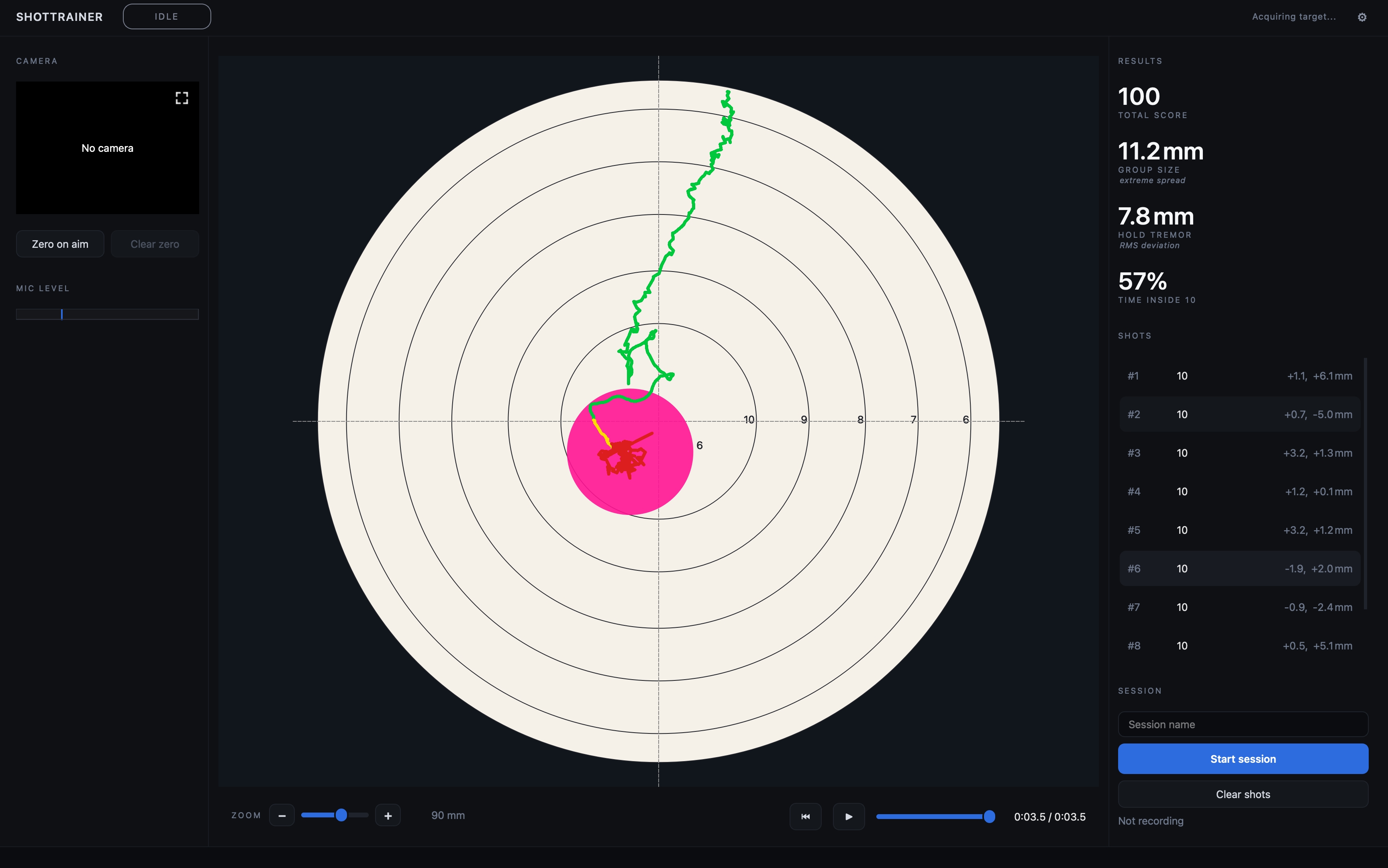
ShotTrainer calculates a score for each shot using the currently selected target face. The scoring rules are designed to match the way paper targets are scored in competition.
Depending on the target definition, a shot that touches a scoring line may count as either the higher or lower score. This behaviour is controlled by the target face and supports both inward and outward scoring systems.
How scores are calculated
Each target face defines a set of scoring rings and a shot diameter.
To score a shot, ShotTrainer measures the distance from the centre of the target to the centre of the shot, then determines which scoring ring the shot reaches.
The scorer works from the highest-value ring outward. The first ring touched by the shot determines the score.
Because the projectile has a physical size, scoring is based on the outer edge of the shot rather than its centre. If the edge of the shot touches a higher-value scoring ring, the shot receives that score.
This matches the scoring method used by organisations such as ISSF and NSRA.
Shot diameter and calibre
The shot diameter setting determines how large the projectile is for scoring purposes.
You can configure this in:
Preferences > Target > Shot diameter
A larger diameter means the shot can reach a scoring line from slightly further away, which can affect close scoring decisions.
Common values include:
- 4.5 mm for air rifle and air pistol pellets
- 5.6 mm for .22 LR ammunition
You can also enter a custom diameter if required.
X-ring scoring
Many target faces include an X-ring at the centre of the target.
Shots that land in the X-ring are displayed as X rather than 10.
For scoring totals, an X counts as 10 points. For example, ten Xs still produce a total score of 100.
The X count is commonly used as a tiebreaker in competitions and does not award additional points.
Target faces
ShotTrainer includes target faces for a range of common disciplines, including air rifle and smallbore shooting.
You can also create your own target definitions.
For details of the built-in faces and custom face format, see Provided targets.
Re-scoring a session
Changing the selected target face does not automatically change the scores stored with an existing session.
To calculate scores using a different face, choose:
Tools > Re-score with current face
All shots currently loaded in the main window are re-evaluated using the active target face, and the updated scores are shown immediately in the shot list and statistics panel.
The new scores are also written back to the database, so reopening the session later shows the re-scored values rather than the originals. If you change your mind, switch back to the original face and re-score again.
When no target face is available
If no target face is selected, or the selected face cannot be loaded, ShotTrainer cannot calculate scores.
Shots will still appear on the target view, but:
- The score column displays
- - No total score is shown
- Score-based statistics are unavailable
Once a valid target face is selected, scores can be calculated again.